


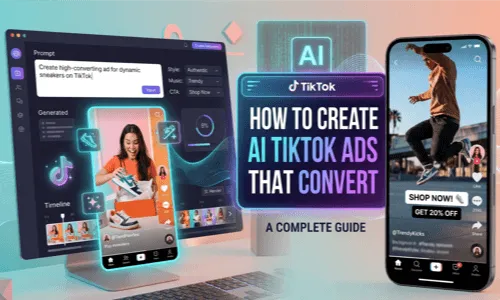
If you've been wondering whether AI can really help you create ads for TikTok video without looking fake, I get it. I was skeptical too. But after testing different AI tools for video production over the past year, things have changed dramatically. Let me walk you through everything I've learned about using AI in video production for AI TikTok ads.
What Are AI TikTok Ads?
In simple terms, AI TikTok ads are video advertisements created using artificial intelligence tools. Instead of filming with cameras and actors, you provide an AI system with either a product photo, a text description, or both—and it generates a finished video ad.
The first time I saw this in action, I honestly thought the person showing me had hired a professional crew. They'd taken a single product photo, typed a short description, and within minutes had a polished TikTok ad ready to post. Modern AI video ad production platforms have come incredibly far. Tools like LumeFlow AI now work with models including Seedance 2.0, Sora 2, and Google Veo 3.1 to create results that genuinely rival traditional video production.
Why Use AI for TikTok Advertising?
Traditional video production carries serious costs. A single professional ad shoot—equipment rentals, talent fees, editing time, and revisions—can easily run $5,000 to $20,000. And after spending that much, you're still waiting weeks to see the final product. When I first calculated what I was spending on video ads versus the returns, I knew something had to change.
With AI, what previously required thousands now costs a fraction of that. The first AI TikTok ad I created took about fifteen minutes while drinking my morning coffee. I did regenerate it twice trying different styles, but the point stands. Another advantage: you don't need technical skills. I'm not a video editor. With AI video ads generator, I just upload a product photo or type what I want, and the technology handles the rest.
How to Create TikTok Ads Using the Best AI
Here's the exact process I've developed after creating dozens of AI-generated TikTok ads:
STEP1 Choose the Best TikTok Ad AI Generator
Not all AI video tools are equal. Some produce blurry or unnatural-looking results. Others add watermarks that make your ads look unprofessional. After trying several options, I stuck with LumeFlow AI. Here's why:
 All-in-One AI Video & Image Creation Platform
- Multiple Models Support: Includes Seedance 2.0, Sora 2 pro, Kling 3.0, and Google Veo 3.1 for diverse creative options.
- Crystal-Clear Video Quality: Supports watermark-free download for professional-looking output.
- Free Credits Available: Try the service with complimentary credits before subscribing.
- AI Prompt Assistant: One-stop solution from ad script to video generation without switching tools.


STEP2 Upload Your Product Photo or Enter Your Prompt
Take any product photo you already have—your website hero image, Amazon listing photo, or Instagram post. Upload it, and the AI animates it, adding motion, camera movement, and visual effects that transform a static image into an engaging video. If you have a creative concept but aren't sure how to describe it, use the built-in prompt assistant. The assistant helps refine your description into something detailed enough for quality results.

STEP3 Generate Your Video and Download
Click generate and watch the AI work. Most platforms complete video generation in under a minute. Review the result, adjust your prompt if something feels off, and regenerate. When you're satisfied, download your video. LumeFlow AI provides watermark-free files with license-free commercial use.

Who Should Use AI for TikTok Ads?
From conversations with other marketers and my own experience, AI TikTok ad creation clicks particularly well for certain groups:
1 E-commerce Sellers
If you're selling physical products—clothing, beauty items, electronics, home goods—your existing product photos can become TikTok ads without additional photoshoots.
2 Small Business Owners
Those who've always felt video marketing was out of reach finally have an entry point. No massive budget, no need to know video production people.
3 Social Media Managers
Dealing with content burnout? Generate ten different concepts in an afternoon and pick the best ones instead of staring at a blank page.
4 Affiliate Marketers
Without access to official brand assets, creating product showcases used to be nearly impossible. AI solves this.
TikTok Ad Prompts for AI Video Generation
Here are real prompts I've tested that actually produce solid results for TikTok ads:
1 Hero Product Video
2 Product Rotation
3 UGC-Style Content
4 Lifestyle Scene
5 Before and After
FAQs About AI TikTok Ads
How to create AI ads for TikTok?
Choose an AI video generator like LumeFlow AI, upload your product photos or write a text prompt, select your preferred AI model like Seedance 2.0, generate the video, and download. Upload directly to TikTok Ads Manager or use organically on your TikTok profile.
Does TikTok allow AI-generated ads?
Yes, TikTok permits AI-generated advertising content. Follow their policies on disclosing synthetic material. Most reputable platforms like LumeFlow AI provide compliant output ready for use.
Which AI tool makes the best TikTok ads?
LumeFlow AI stands out for its Seedance 2.0 quality, all-in-one workflow, free trial credits, and commercial-ready output. The platform supports an all-in-one workflow from prompt to finished video.
Final Thoughts: Is AI TikTok Advertising Worth It?
After going all-in on AI video tools for TikTok advertising, here's what I've learned: these tools won't replace creativity, but they remove barriers that used to stop people from trying. You don't need thousands of dollars or weeks of turnaround time.
If you're ready to try this, start with LumeFlow AI. Their free credits let you experiment without financial commitment. Give it a shot.

