




One AI Platform
Endless Image & Video Creation
AI Video
- Curious Kitten
From an old-fashioned surveillance camera perspective, a mischievous kitten squats at the house entrance, blowing a tiny trumpet—its sound harsh and jarring. Hearing the noise, the homeowner flings the door open in a rage, snatches the trumpet away in one swift move. Startled, the kitten tucks its tail between its legs and scurries off in a hurry. The surveillance footage, tinged with grainy texture, captures the entire scene clearly from a fixed overhead angle.
- Through the Peephole
First person perspective, looking out from the cat's eye on the door. A ragged homeless man stood in front of the door, emotionally excited and with a wild expression. He breathed heavily and kept ringing the doorbell frantically, his movements so forceful that the door trembled slightly. His face was close to the cat's eye, stretched and deformed through the cat's eye lens, looking even more strange. Subsequently, the homeless man opened the door with excitement and a wild expression, and rushed into his home. The moment the video ended
- Baby Comedian
A chubby toddler who’s just mastered walking clutches a tiny plastic microphone, standing wobbly but earnest on a cozy comedy club stage, performing impromptu stand-up comedy with silly gestures and babbling lines.
- Forgotten Mascot
POV urban exploration inside an abandoned, decaying building, first-person perspective with a visible flashlight beam cutting through darkness, the light slowly revealing a forgotten cartoon-inspired sponge-like mascot statue, square-shaped yellow body, large rounded eyes, simple cartoon proportions, legally safe and non-branded appearance, sitting slumped against a cracked wall, lifeless and motionless, surface aged and weathered with cracks, peeling paint, dust layers, cobwebs hanging from arms and head, subtly sad and tired facial expression, nostalgic and melancholic mood, non-horror, abandoned house or old studio interior, broken walls, peeling paint, cracked dusty floor, scattered debris, old furniture silhouettes, floating dust particles visible in the flashlight beam, volumetric lighting, strong vignette, shallow depth of field, cinematic film grain, ultra-realistic textures, low saturation, muted colors, vertical 9:16, ultra realistic, no text, no watermark, no logo, no split screen
- Romantic Dip Kiss
The man leans forward, firmly supporting the woman’s lower back with his right arm and her bent knees with his left arm, gently dipping her backward into a classic romantic dip pose. The woman tilts her head up and meets his lips in a passionate kiss. Her left arm wraps around the man's neck while her right hand rests lightly on his shoulder. Her long hair falls naturally as she leans back, her entire body securely supported by the man's strong embrace. The man slightly tilts his head, eyes gently closed, kissing her tenderly. Cinematic romantic atmosphere, natural body posture, realistic interaction.
- Lift Kiss Pose
The man lifts the woman steadily with both hands, firmly holding her around the waist and raising her into the air. The woman's legs lift naturally with bent knees, creating a dynamic and realistic pose. The couple leans toward each other and shares a deep romantic kiss. The camera stays in a fixed medium shot with a slow subtle push-in. Smooth natural motion, no limb distortion, cinematic lighting, ultra-realistic, 4K quality.
- Wall Kiss
Generate a wall behind the female character and have character 2 (female character) lean against the wall. In the picture, character 1 (male) extends his hand and slams character 2 (female) against the wall, giving character 2 (female) a French wet kiss (affectionate tongue kiss). Character 1 leans one hand against the wall and wraps the other hand around Character 2's waist. The movements are natural and realistic. Character 2 reached out and touched Character 1's face. The kissing action continued without interruption. If there is no male in the picture, randomly select a female and designate her as character 1
- Passionate Kiss
At the beginning of the video, the characters embrace each other and engage in French style wet kisses, passionately kissing each other without separation
- Selfie Scene Merge
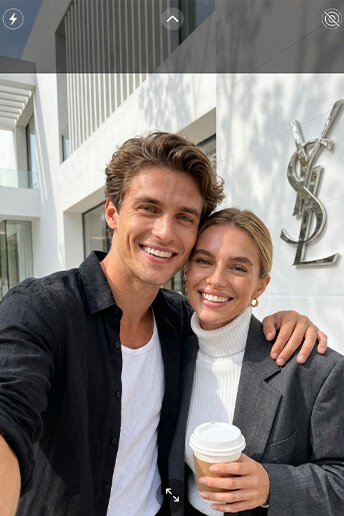
Seamlessly merge Image 1 and Image 2 into the same scene. First-person smartphone selfie perspective. The two people appear like close friends taking a selfie together, natural and relaxed, casual selfie composition, realistic lighting.
- Helicopter Hang
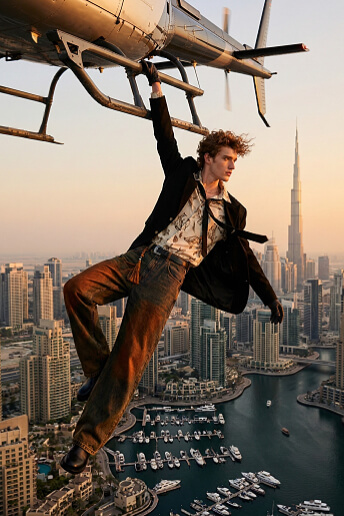
Create a realistic cinematic shot of the same girl from the reference image (do not change her appearance or clothing) hanging with one hand from the landing skid of a helicopter high above Dubai. The city skyline and marina are clearly visible below, illuminated natural sunset light.Her pose is natural and believable, with her body extended in the air and her head turned slightly to the side, looking forward. The wind from the helicopter blades gently moves her hair and clothing, adding dynamic motion.The overall mood is dramatic yet realistic, with accurate lighting, shadows, and atmospheric depth.
- Flower Field Romantic Kiss
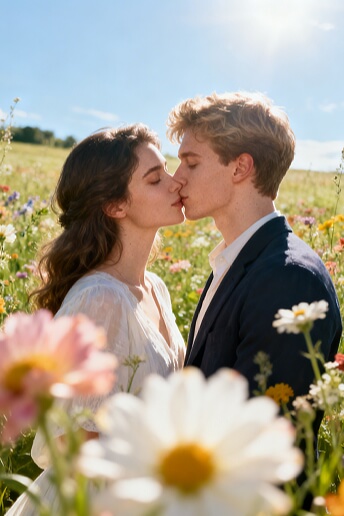
Keep the characters' appearances from Image 1 and Image 2 completely unchanged and merge them into the same scene to create a sweet romantic kissing photo of a couple. Bright high-key outdoor portrait taken in a blooming flower field under brilliant midday sunlight. Soft-focus flower petals in the foreground create a dreamy haze. Natural bright diffused lighting fills the frame with no harsh shadows. Precisely match the facial features of the uploaded portraits with 100% detail restoration including natural skin shine and subtle micro-expressions. Soft floral color palette, clean symmetrical composition with editorial aesthetics. Ultra-realistic yet dreamy soft-light atmosphere, luxury artistic tone, 8K masterpiece, aspect ratio 3:4.
- Rose Garden Romantic Portrait
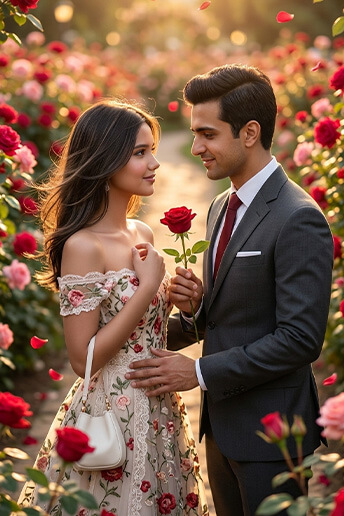
Use the uploaded people as the main subjects, preserving their facial identity, skin tone, and likeness. A romantic portrait set on a pathway inside a blooming rose garden (red and pink roses on both sides). Golden backlight with floating petals and a gentle breeze moving the hair. Couple version: the two look at each other warmly, one gently offering a red rose, soft smiles and intimate eye contact. Cinematic shallow depth of field, creamy bokeh, natural skin texture, highly detailed fabric embroidery, warm highlights and soft rim lighting. Composition: medium shot, rule of thirds, roses framing the foreground. Hyper-realistic, 4K, no text, no watermark, no distortion, correct hands and fingers.
-
Remove Text
Remove all text from the image without changing the original appearance of the picture.
- JoJo Style Transformation
Transform the uploaded portrait into a JoJo's Bizarre Adventure style manga illustration, while keeping the original pose, camera angle, and composition unchanged. Facial features remain recognizable but stylized with stronger brow ridge, nose bridge, and jawline. Thick black outlines, bold structural linework, sharp angular strokes, exaggerated clothing folds and muscular tension. Cel-shading with high contrast and hard-edge shadow blocks. Deep dramatic shadows with clear light-dark segmentation on skin and clothing. Overall style: intense shonen manga energy, dynamic perspective, powerful visual tension. Background: purple energy vortex with glowing rings and small flying debris effects, clean background. Purple rim glow outlining the character, sharp high-definition illustration with strong visual impact.
- Cinematic Film Photography8
Create the look of 35mm Fujifilm PROvia film photography, with fine grain and moderate contrast, slightly high contrast with low saturation, in the portrait photography style of Yoshihiko Ueda. Drone top-down perspective showing a vast green meadow with strong winds creating waves across the grass. The subject slightly raises their head, eyes closed, arms open, hair moving in the wind suggesting wind speed. Emotional atmosphere conveyed through ambient light, deep interplay of light and shadow. Medium shot with a wide-angle lens capturing the tension between subject and environment. Selective shallow depth of field: foreground grass strongly blurred, background wilderness softly out of focus. Soft diffusion filter with subtle highlight glow. Asymmetrical composition emphasizing aesthetic form and inner spirit. Dreamlike surreal atmosphere with existential solitude, light mist creating a hazy ambience. Master-level photographic composition with ultra-high resolution and extremely rich detail, cool color tone, minimalistic background.
- GTA V Style Illustration
Transform the character’s visual style into the GTA V illustration style, maintaining the same composition and subject. Add the text “Grand Theft Auto V” in the image, bold stylized game title typography, iconic GTA promotional poster style, vibrant lighting, dramatic contrast, polished digital illustration.






The Right Model for Every Creative Task

AI Video Generators
Access a full suite of advanced AI video models on LumeFlow, led by our flagship
video model, giving you everything you need to create stunning videos, including:
Seedance 2.5 LumeFlow AI Happy Horse Sora
2
Kling AI Vidu
AI Pixverse AI Wan AI Hailuo AI Google Veo
3.1
AI Video Generator

 LumeFlow AI
 Seedance 2.5
 Happy Horse
 Wan
AI
Wan
AI  Hailuo AI
  Google
Veo 3.1
Google
Veo 3.1  Sora
2
Sora
2  Kling AI
 Vidu
AI
Vidu
AI  Pixverse AI

AI Image Generators
Access a full range of powerful AI image models on LumeFlow, led by our
state-of-the-art image model, giving you everything you need to generate high-quality images,
including:
ChatGPT Image 2.5Nano Banana 2 Nano Banana
Flux Kontext
Max Flux Kontext Pro Seedream 4.0 Kling 01
AI Image Generator

 ChatGPT Image 2.5
  Nano
Banana 2 Nano
Banana Pro
Nano
Banana 2 Nano
Banana Pro  Flux
Kontext Max Flux
Kontext Pro
Seedream 4.0
Kling 01
Flux
Kontext Max Flux
Kontext Pro
Seedream 4.0
Kling 01
One Platform, Few Steps, Infinite Creativity
Explore Stunning Video & Image Effects Powered by AI
Video Effects
Image Effects


Join LumeFlow AI to Create and Inspire
100+
Countries


98%
Satisfaction

3.2M+
Subscribers

6.7M+
Users



 LumeFlow
AI turns simple prompts and images into stunning, high-quality videos in seconds. Creators and
brands can also generate or transform images with text to image and image to image features.
Produce viral, animated, and engaging content—fast, flexible, and intuitive. Learn More Review >
LumeFlow
AI turns simple prompts and images into stunning, high-quality videos in seconds. Creators and
brands can also generate or transform images with text to image and image to image features.
Produce viral, animated, and engaging content—fast, flexible, and intuitive. Learn More Review > 
 Static
to dynamic in seconds—that’s the creative workflow every creator needs. Perfect for social
content that moves, LumeFlow AI turns text, images, and video prompts into vivid videos and
images. Transform your ideas into engaging, shareable content and boost productivity with
intuitive AI-powered tools. Learn More
Review >
Static
to dynamic in seconds—that’s the creative workflow every creator needs. Perfect for social
content that moves, LumeFlow AI turns text, images, and video prompts into vivid videos and
images. Transform your ideas into engaging, shareable content and boost productivity with
intuitive AI-powered tools. Learn More
Review > 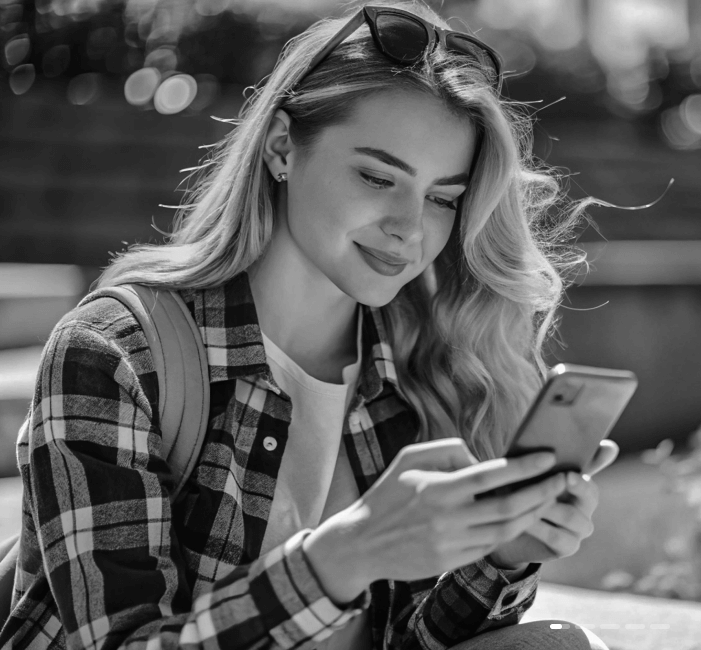
 The
best part of this tool? LumeFlow’s AI video remixing feature makes creating AI meme videos
effortless. With a built-in library of video assets you can remix and recreate, it saves time
searching for trends and helps creators stay on top of the latest viral content. Learn More Review >
The
best part of this tool? LumeFlow’s AI video remixing feature makes creating AI meme videos
effortless. With a built-in library of video assets you can remix and recreate, it saves time
searching for trends and helps creators stay on top of the latest viral content. Learn More Review > 
 LumeFlow
AI is a versatile AI video generator that lets businesses turn product images and ideas into
high-quality videos. Designed for marketers, it provides an affordable, efficient, and visually
compelling way to create content—without relying on expensive production studios. Learn More Review >
LumeFlow
AI is a versatile AI video generator that lets businesses turn product images and ideas into
high-quality videos. Designed for marketers, it provides an affordable, efficient, and visually
compelling way to create content—without relying on expensive production studios. Learn More Review > 
 LumeFlow AI is
an affordable, user-friendly tool for text-to-video,
image-to-video, and video-to-video creation. Bring your ideas to life with AI effects, Video
Remix, and now text-to-image and image-to-image generation. Stay ahead with cutting-edge models
like Sora 2 and VEO 3—all in one platform, no extra subscriptions required. Learn More Review >
LumeFlow AI is
an affordable, user-friendly tool for text-to-video,
image-to-video, and video-to-video creation. Bring your ideas to life with AI effects, Video
Remix, and now text-to-image and image-to-image generation. Stay ahead with cutting-edge models
like Sora 2 and VEO 3—all in one platform, no extra subscriptions required. Learn More Review > AIToolbox
For Every User, For Every Scenario: Smart AI at Work
Creators
Marketers
E-commerce
Educators
-
Create Product Explainer Videos with Your Own ImageNow: Upload your photo, enter text, and generate talking explainer videos.Before: Film yourself explaining products and reshoot for every update.
-
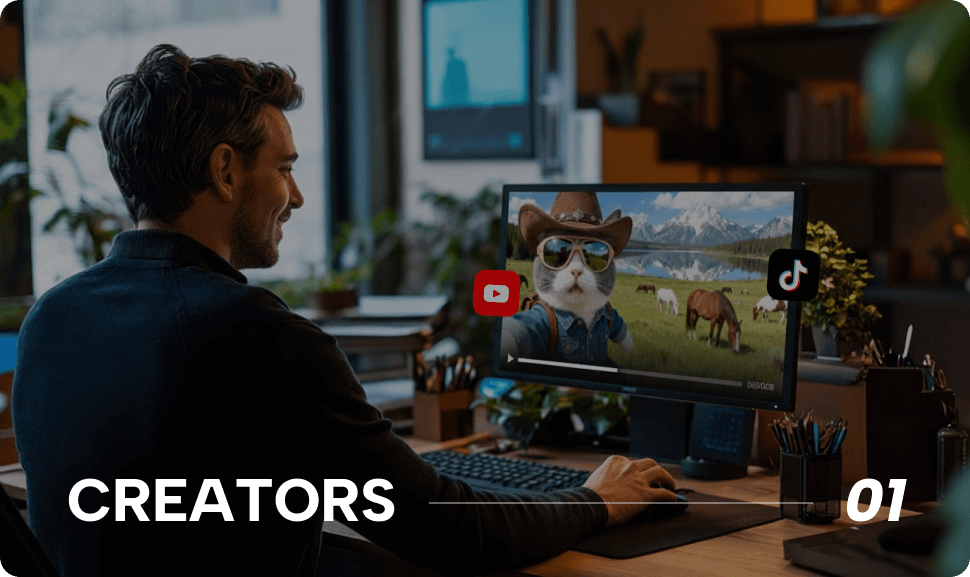
Turn Ideas into Visual StoriesNow: Create images, animate characters, and generate story videos from text.Before: Write scripts, find visuals, and edit videos manually.
-
Mimic Popular Movements & DancesNow: Turn any image into a moving character by AI mimicking a reference video.Before: Record yourself performing trending dances or movements repeatedly.
-
Bring Photos to Life with MotionNow: Apply natural motion and gestures to images with one click.Before: Use complex animation tools or plugins.

-
Create High-Converting Video AdsNow: Generate speaking and animated ad videos without production costs.Before: Hire actors, film ads, and wait for edits.
-
Scale Creative Variations FastNow: Produce multiple motion and message variations with AI.Before: Manually remake creatives for every A/B test.
-
Build Spokesperson-Style CampaignsNow: Turn scripts into talking AI characters at scale.Before: Book presenters or record voiceovers.
-
Launch Campaigns in MinutesNow: Go from idea to ready-to-run creatives instantly.Before: Long production cycles delay launches.

-
Create Product Images & VideosNow: Generate product visuals and videos from images.Before: Rely on photoshoots and manual editing.
-
Showcase Products with MotionNow: Turn product photos into engaging motion videos.Before: Use static images only.
-
Create Talking Product DemosNow: Explain features using AI-powered talking charactersBefore: Film presenters or record narration.
-
Visualize Products Before ProductionNow: Test product concepts with AI visuals and motion.Before: Wait for samples or prototypes.
-
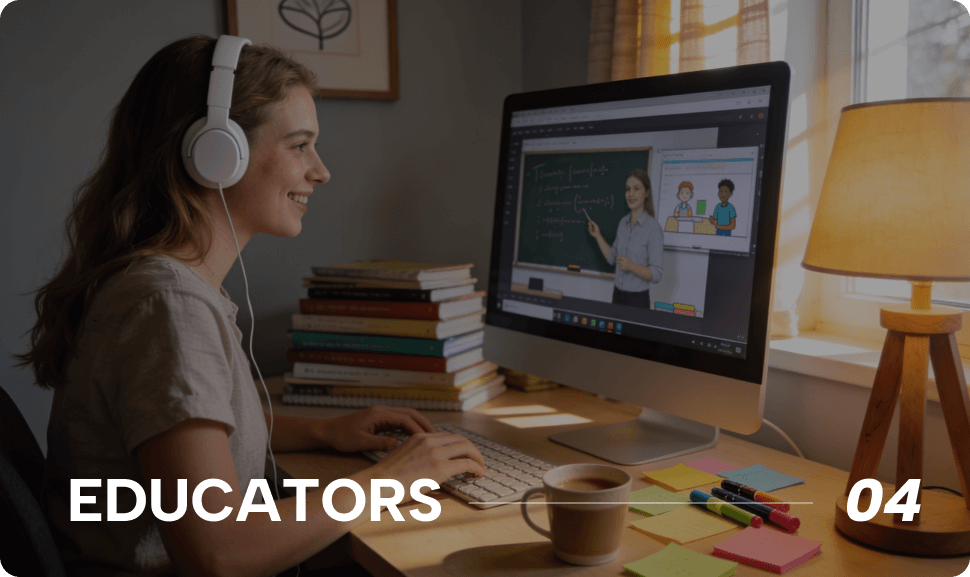
Create Talking Lesson VideosNow: Turn scripts into lip-synced teaching videos.Before: Record lectures and edit videos manually.
-
Animate Complex ConceptsNow: Use motion and visuals to improve understanding.Before: Explain ideas using text or slides.
-
Build Multilingual Learning ContentNow: Generate lip-synced videos in multiple languages.Before: Re-record lessons for each language.
-
Increase Student EngagementNow: Use animated, speaking visuals to boost engagement.Before: Static content leads to low attention.
Questions and Answers
-
What is LumeFlow AI?
LumeFlow AI is an all-in-one AI creative platform that transforms text, images, or videos into high-quality videos—and now also generates images from text or existing images. No editing experience is required, making it easy for creators of all levels to bring ideas to life.
-
Is there a free version of the LumeFlow AI video maker?
Yes, LumeFlow AI is a free AI video generator for new users, giving access to core video and image generation features. Upgrade anytime for higher resolution, longer videos, advanced tools, and full access to text-to-image and image-to-image creation.
-
Can I create a complete AI video from a text prompt?
Yes! Just enter your script or text prompt, and LumeFlow AI will generate a fully edited, high-resolution AI-generated video for you.
-
How does the LumeFlow AI image-to-video feature work?
Upload an image and add a prompt—our AI animates the scene, adds effects, and turns it into a dynamic video with motion and transitions.
-
Can I remix or edit existing videos using LumeFlow AI?
Absolutely. With LumeFlow AI's AI-powered video editor, you can repurpose and enhance your existing video clips into new, viral-ready effects or formats.
-
Do I need video editing skills to use LumeFlow AI?
Not at all. LumeFlow AI is designed for beginners and professionals alike—just drag, type, or upload, and the AI handles the rest.
-
How does the LumeFlow AI image-to-image feature work?
LumeFlow AI’s image-to-image feature lets you transform existing images into new, creative visuals. Simply upload an image, add a text prompt if desired, and the AI will generate a modified version with enhanced details, effects, or completely new styles—making it easy to reimagine your ideas.
-
How fast can I generate a video with LumeFlow AI?
Most videos are generated in under one minute, depending on complexity. No rendering delays, no waiting. You can also create or transform images using text-to-image and image-to-image features, which are processed just as quickly, making it easy to bring your ideas to life.
-
Who owns the content I generate?
You retain full rights to the videos and images you create using LumeFlow AI. They're yours to share, sell, or distribute.
-
Can I use LumeFlow AI for commercial projects?
Yes! Our platform is built for creators, marketers, and businesses. All output is license-free and ready for commercial use.
Latest News
Explore LumeFlow's blog for the latest AI trends, tutorials, and insights that inspire smarter video creation.