







Nano Banana 2.1
Sharper Images. Half the Price.
 (3,529+ LumeFlow Reviews)
  GPT Image 2.0
GPT Image 2.5
GPT Image 2.0
GPT Image 2.0
GPT Image 2.5
 Nano Banana
 2.1
Nano Banana Pro
Nano Banana 2
Nano Banana
Nano Banana 2.1
Nano Banana Pro
Nano Banana 2
 Seedream 4.0
 Flux Kontext Max
Flux Kontext Pro
GPT Image 2.0
GPT Image 2.0
GPT Image 2.5
Nano Banana 2.1
Nano Banana
Nano Banana Pro
Nano Banana 2
Seedream 4.0
Flux Kontext Max
Flux Kontext Pro
GPT Image 2.0
GPT Image 2.0
GPT Image 2.5
Nano Banana 2.1
Nano Banana
Nano Banana Pro
Nano Banana 2
Seedream 4.0
 Kling O1

 Click to upload an image
Upload JPG/PNG/WEBP images up to 10MB, with a minimum width/height of 300px.
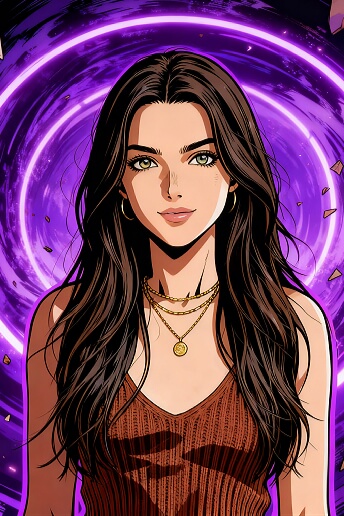
Explore What Nano Banana 2.1 Can Create
Give your next idea a new look. From expressive portraits to playful illustrations, explore creative directions with Nano Banana 2.1 and make each image your own.
Try Nano Banana 2.1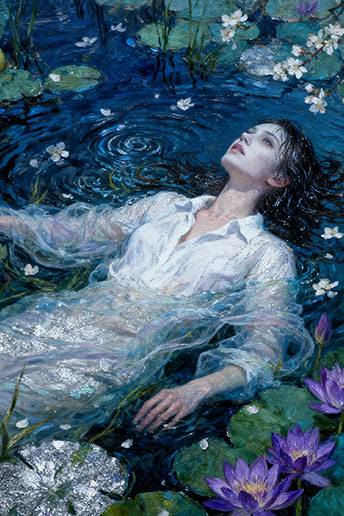

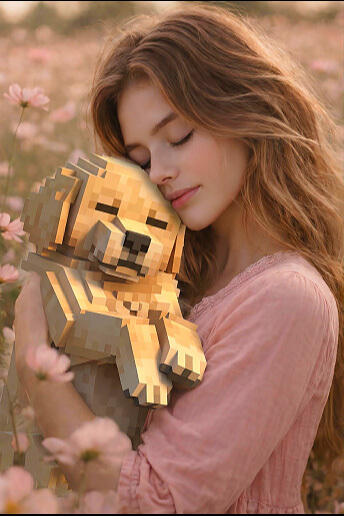
Why Create with Nano Banana 2.1?
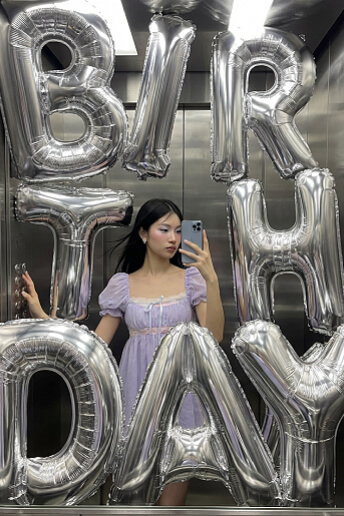
Better Images at Half the Price
Get more from every creative idea. Nano Banana 2.1 upgrades image quality and follows detailed prompts more closely, helping you shape the lighting, composition, and style you have in mind.
At half the price of Nano Banana 2, there is more room to explore campaign concepts, compare variations, and find your favorite look.
Create with Nano Banana 2.1

Keep Characters Consistent. Blend Your References.
Build a recognizable character across new scenes and creative variations. Nano Banana 2.1 improves character consistency and multi-image fusion, so you can combine subjects, settings, and visual cues from reference images. Bring your story, product concept, or mood board together in one cohesive image.
Bring Your References TogetherMake Every Word Part of the Design
Turn a campaign message into a poster people want to read. With improved text rendering and layout, Nano Banana 2.1 is a stronger choice for promotional graphics and infographics. Describe your headline, supporting text, and composition to bring words and visuals together.
Create Your Next Poster
Start with Nano Banana 2.1. Explore LumeFlow.
Create your image, then discover more ways to tell your story.

How to Use Nano Banana 2.1 in LumeFlow
Step 1: Open the Image Editor
Open image-to-image in LumeFlow and add the photo or reference image you want to work with.
Step 2: Select Nano Banana 2.1
Choose Nano Banana 2.1 in the model selector and get ready to bring your next creative idea to life.
Step 3: Describe Your Edit and Create
Describe the changes you want and the details to keep. Generate your image, review it, and refine your prompt for the next variation.


Nano Banana 2.1: Your Questions Answered
-
1. What is Nano Banana 2.1?
Nano Banana 2.1 is an AI image generation and editing model from Google. Use it in LumeFlow to explore ideas for social posts, product imagery, posters, and illustrated stories.
-
2. How much does Nano Banana 2.1 cost?
Nano Banana 2.1 costs half as much as Nano Banana 2. Check the credits shown in LumeFlow for your selected settings before generating, and choose the option that fits your project.
-
3. What improves over Nano Banana 2?
Nano Banana 2.1 improves image quality, instruction following, character consistency, text rendering and layout, and multi-image fusion. These upgrades make it useful for everything from photo edits to coordinated campaign visuals.
-
4. Can I create posters and infographics?
Yes. Specify the exact wording in quotation marks, then describe the layout, colors, and visual style. Nano Banana 2.1 improves text rendering and infographic design. Review spelling and factual details before publishing.
-
5. Can I combine images and keep the same character?
Nano Banana 2.1 supports multi-image fusion and improves character consistency across edits. Add references where supported in the editor, explain what each image contributes, and describe the character details you want to keep.
Find Fresh Ideas for Your Next Creation
Explore image prompts, model comparisons, and creative guides from LumeFlow. Find a new direction for your next portrait, product visual, or social post, then put your idea to work with Nano Banana 2.1.
- Best Free AI Dance Generators in 2026 to Make Photos Dance
- Best Free AI Face Swapper Tools 2026 – Photos & Videos Online
- Try Nano Banana 2.1 for Your Next Creative Project
- How to Write GPT Image 2 Prompts That Actually Work
- GPT Image 2 vs Nano Banana 2: Which Model Fits Your Workflow?
Take Your Nano Banana 2.1 Images Further
Create your starting image with Nano Banana 2.1, then explore the rest of LumeFlow. Use our separate video tools to animate a visual or try an effect, and build a creative workflow around your next idea.


