


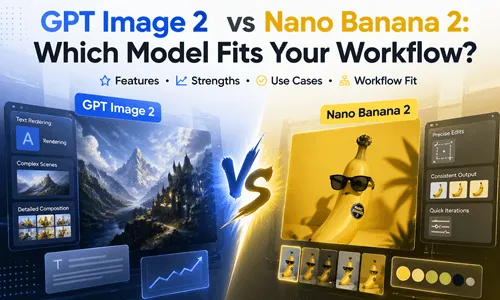
AI image tools are getting better so fast that the hardest part is no longer making an image at all. The real question is which model gets you to a usable result with the fewest fixes. In this comparison of GPT Image 2 vs Nano Banana 2, OpenAI positions GPT Image 2 as a fast, high-quality image generation and editing model with flexible sizes and high-fidelity inputs, while Google positions Nano Banana 2 around advanced world knowledge, subject consistency, clear text, many languages, and fast iteration.
That difference matters. One model feels more production-first. The other feels more speed-first. For most creators, agencies, and marketers, the better choice depends less on the model name and more on the job in front of you.
Test Setup: GPT Image 2 vs Nano Banana 2
To keep the comparison fair, the same prompt structure should be used in both tools, with the same aspect ratio, the same subject, and the same creative direction. That matters because GPT Image 2 supports flexible image sizes and high-fidelity inputs, while Nano Banana 2 emphasizes fast resizing, clear text, and quick edits across many formats.
For this review, the practical filter is simple: does the model give you a better first pass, or does it just create more cleanup work later? The best comparison is not one lucky generation. It is repeated testing with the same prompt, at least three times, so you can see whether the result is stable or just accidental. If you're trying to understand how GPT Image 2 fits into real workflows, there is also a practical breakdown in how to use GPT Image 2.
GPT Image 2 vs Nano Banana 2: Core Results at a Glance
| Criterion | GPT Image 2 | Nano Banana 2 | Practical Edge |
|---|---|---|---|
| Core positioning | Fast, high-quality image generation and editing with flexible sizes and high-fidelity image inputs. | Advanced world knowledge, quality, reasoning, subject consistency, and Flash-speed iteration. | GPT Image 2 for production editing; Nano Banana 2 for quick iteration. |
| Text in images | Stronger performance for text-heavy images and production workflows. | Clear text in logos, posters, comics, and many languages. | Nano Banana 2 for multilingual layout work; GPT Image 2 for complex production assets. |
| Editing reliability | Strong editing performance, especially when fidelity matters. | Strong transformation tools for vibe, camera angle, focus, and style. | GPT Image 2 for precise edits; Nano Banana 2 for fast creative changes. |
| Multi-subject scenes | Cohesive narrative work and consistent characters in multi-scene formats. | Explicitly calls out subject consistency. | Nano Banana 2 for quick consistency checks; GPT Image 2 for polished final output. |
| Delivery formats | Flexible size handling with documented resolution behavior, upper reliability boundary around 2K. | One visual, many sizes, with instant resize and no cropping of important details. | Nano Banana 2 for fast repurposing; GPT Image 2 for controlled output. |
For readers who want a closer look at how Nano Banana 2 behaves in real generation and editing scenarios, see the Nano Banana 2 review.
The Real Differences Between GPT Image 2 and Nano Banana 2
Text-Heavy Posters, Ads, and UI-Like Graphics
Practical Takeaway:
GPT Image 2 is the better default for polished marketing visuals where typography precision matters.
Test prompt:
Comparison result:
| GPT Image 2 | Nano Banana 2 |
|---|---|

|

|
For this kind of work, GPT Image 2 is the safer finisher. OpenAI explicitly describes it as the stronger choice for text-heavy images, photorealism, compositing, and identity-sensitive edits. Nano Banana 2 is also good at placing clear text, but Google's own wording leans more toward fast transformation and flexible formats than toward final-polish ad layout control.
Storyboards, Scene Planning, and Multi-Character Concepts
Practical Takeaway:
Nano Banana 2 excels for quick concepting, mood exploration, and when you are still shaping the creative direction.
Test prompt:
Comparison result:
| GPT Image 2 | Nano Banana 2 |
|---|---|

|

|
This is where Nano Banana 2 starts to look very appealing. Google highlights subject consistency, quick mood shifts, camera-angle changes, and instant style experimentation. GPT Image 2 can absolutely handle story-driven visuals, and OpenAI's examples show cohesive panels and consistent characters, but Nano Banana 2 feels easier when you are still shaping the idea.
Lifelike Characters and Casting-Style Prompts
Practical Takeaway:
Nano Banana 2 for quick casting sheets; GPT Image 2 for final polished character presentations.
Test prompt:
Comparison result:
| GPT Image 2 | Nano Banana 2 |
|---|---|

|

|
For dense character prompts, the key question is not only whether the model can generate the people, but whether it keeps them visually organized. Nano Banana 2's emphasis on subject consistency gives it a slight practical edge for quick casting sheets.GPT Image 2, on the other hand, tends to feel better when the result needs cleaner presentation and less manual cleanup.
Brand Campaigns and Commercial Key Visuals
Practical Takeaway:
GPT Image 2 is the safer choice when art direction is locked and deliverables need to be publication-ready.
Test prompt:
Comparison result:
| GPT Image 2 | Nano Banana 2 |
|---|---|

|

|
When the output has to look like a real campaign asset, GPT Image 2 is usually the better default. OpenAI highlights that it is built for high-quality generation, editing, photorealism, and fewer retries in production workflows. Nano Banana 2 is excellent for fast concept exploration, but GPT Image 2 feels more like the model you bring in when the art direction is already locked.
Editing Existing Images
Practical Takeaway:
GPT Image 2 wins on fidelity-sensitive edits where preserving the original structure matters.
Test prompt:
Comparison result:
| Original Photo | GPT Image 2 | Nano Banana 2 |
|---|---|---|

|

|

|
This is where GPT Image 2 tends to feel more dependable. OpenAI explicitly emphasizes improved editing performance and high-fidelity image inputs. Nano Banana 2 is very good at changing the vibe, angle, and style of an image, but GPT Image 2 feels better when you care about preserving the core structure of the original.
Which One Should You Use
✅ Choose GPT Image 2 When:
- Work is commercial, text-heavy, or revision-heavy.
- Output needs polished marketing visuals.
- Product-led creative and editorial layouts.
- Edits where the original structure matters.
- High-fidelity output is required.
✅ Choose Nano Banana 2 When:
- Speed, iteration, and quick visual exploration matter most.
- Multilingual text placement is needed.
- Fast concepting and style swaps.
- Rough storyboard development.
- You need instant format resizing.
How to Verify the Better Fit for Your Own Workflow
If you are not sure which one fits your workflow, the simplest method is still the best one:
- 1️⃣ Run the same prompt in both models.
- 2️⃣ Repeat it at least three times.
- 3️⃣ Compare readability, consistency, and how much cleanup each result needs.
🚀 Recommended Testing Approach:
A convenient way to do that is with LumeFlow AI, because its image workflow surfaces both GPT Image 2 and Nano Banana 2 in the same place, and it offers free coins for trying the model. That makes it a practical side-by-side testing hub instead of a switching headache.
 All-in-one AI Image Generator
- Access both GPT Image 2 and Nano Banana 2 in one workflow.
- Free coins available for model testing.
- Side-by-side comparison without switching platforms.


Final Verdict: GPT Image 2 or Nano Banana 2
My final read is simple: GPT Image 2 is the better production-first model, and Nano Banana 2 is the better speed-first model. If your day is full of ads, brand assets, and polished deliverables, GPT Image 2 usually gives you the cleaner finish. If your day is full of concept exploration, fast edits, and multilingual mockups, Nano Banana 2 is easier to move with.
For most creators, the smartest workflow is not picking one forever. It is using both, then choosing the one that matches the task. LumeFlow AI is a practical place to do that because it puts both models into one workflow and gives you a low-frictionway to test without overthinking the setup.

