



Seedance 2.5 AI Video Generator
30-Second Native Clips. 50 Multimodal References.
 (3529+ Reviews)
  LumeFlow 3.0 LumeFlow 3.0
  kling 3.0
  Seedance 2.0 Mini Seedance 2.0
  Happy Horse 1.0 Happy Horse 1.1
  Gemini Omni
  Wan 2.5
  Pixverse V5.5 Wan 2.6
  Hailuo 2.3 Hailuo 2.3 Fast kling 2.5
  Sora 2 Sora 2 Pro
  Vidu Q2 Turbo
  Google Veo 3.1 Google Veo 3.1 Fast Pixverse V5 Hailuo 02 Vidu Q1 kling 1.6
 Click to upload an image
 Upload JPG/PNG/WEBP images up to 10MB, with a minimum width/height of 300px.
LumeFlow 3.0 Happy Horse 1.0 LumeFlow 3.0 kling 3.0 Wan 2.5 Pixverse V5.5 Wan 2.6 Hailuo 2.3 kling 2.5 Sora 2 Sora 2 Pro Vidu Q2 Google Veo 3.1 Google Veo 3.1 Fast Pixverse V5 Hailuo 02 Vidu Q1 kling 1.6 LumeFlow 2.0 LumeFlow 2.0 Vidu Q2 Turbo  Click to upload a video
 Upload mp4 files up to 50MB with max resolution of 1920px and max time of 30s
Play with Seedance 2.5 Free — Seedance 2.5 Magic in Action!
Watch what seedance 2.5 free can do with LumeFlow here! Wild transitions, cinematic vibes, and hilarious effects, no editing, no external audio, no post-production. These seedance AI video demos prove creativity is not that far!
Why Choose Seedance 2.5 Video Generator?
50 Multimodal References — Text, Image, Audio, and Video in One Prompt
Seedance 2.5 accepts up to 50 full-modal reference files in a single generation request.
Lock a character's appearance with one image, replicate a camera trajectory from another video, set the rhythm with an audio file, and anchor brand elements across an entire film — all in one prompt.
Seedance 2.5 processes them together in one unified pipeline, with enough headroom for an entire brand campaign or episodic short drama.
Start Free Trial

Director-Level Creative Control
Forget about trial and error. With Seedance 2.5, you have precise control over performance, lighting, shadows, and camera movements.
Seedance 2.5 lets you control camera movement through natural-language descriptions — panning, tracking shots, push-in, pull-back, orbiting, first-person POV, and fisheye. We can say that it delivers hyper-realistic outputs that blur the line between AI and reality. The result is a video where creative decisions come from your prompt, not from re-rolling outputs.
Start Seedance AI FreeNative Audio-Video Generation & Video Editing
Seedance 2.5 generates sound effects, dialogue, and background music simultaneously with the video, not as a post-production step.
On top of that, Seedance 2.5 introduces localized editing — change a specific region or add a single prop without re-rendering the whole clip. Characters, camera movements, and environments stay intact while you refine the details.
You have a complete editing workflow powered by one model. Output up to 30 seconds of video per clip, with synchronized audio, in multiple aspect ratios.
View Documentation
How to Acess Seedance models in LumeFlow?
Step 1: Pick Your Video Type
Choose text-to-video or image-to-video to start your journey with Seedance.
Step 2. Select Seedance Model
Select the Seedance 2.5 model or Seedance 2.0 Mini Model and unlock advanced features with seedance ai free for faster, smoother video creation.
Step 3. Add Creativity
Enter your ideas, describe the scene, or upload images to generate vibrant videos using seedance ai video instantly.


Seedance AI Video in Action — Watch It Trend Live
See what Seedance creators are building in the showcase. Definitely surprise you!

All You Need to Know About Seedance Models!
-
1. What's new in Seedance 2.5?
Seedance 2.5 brings four major upgrades over 2.0.
First, it generates native 30-second clips in a single pass, eliminating the need to stitch shorter segments.
Second, it accepts up to 50 multimodal references — images, video, and audio — compared to 12 in 2.0.
Third, it introduces localized editing, letting you change a specific region of a clip without regenerating the entire video.
Fourth, it supports 3D blockout input, enabling directors to pre-stage camera angles with rough 3D geometry for deliberate shot planning.
The model retains all Seedance 2.0 capabilities, including multi-shot storytelling, character consistency, and synchronized audio.
-
2. What is the difference between Seedance 2.0 and Seedance 2.0 Mini?
The main difference between Seedance 2.0 Mini and Seedance 2.0 is the balance between speed and maximum quality.
Seedance 2.0 Mini prioritizes faster generation, lower cost, and efficient workflows, making it ideal for social media videos, concept testing, and rapid creative iterations.
Seedance 2.0 is built for premium output, offering higher resolution, stronger scene consistency, and enhanced audio-visual alignment when quality matters most.
-
3. What is Seedance 2.0 AI Video Generator?
Seedance 2.0 is an AI video generation model developed by ByteDance's SEED Lab and released in February 2026. It generates short video clips (4–15 seconds) from text prompts, reference images, videos, and audio files. The model uses a unified multimodal architecture that processes all input types together rather than handling them in separate pipelines, and it can produce synchronized audio alongside the video output.
-
4. What is the difference between Seedance 2.0 and other models?
The main differences are:
(1) Seedance 2.0 supports up to 12 reference files in a single prompt — 9 images, 3 videos, and 3 audio tracks — while most competing models (Kling, Sora, Hailuo) handle text and image only.
(2) It generates audio and video simultaneously in a shared pipeline, so the soundtrack is synchronized to the visual action without any post-production editing.
(3) Character consistency across frames — faces, clothing, body proportions — is one of its strongest benchmarked capabilities, scoring 10/10 on independent evaluation.
-
5. What features does Seedance 2.0 AI Video Generator support?
Seedance 2.0 AI Video Generator supports text-to-video creation, multiple visual styles, cinematic camera movements, animated characters, scene transitions, and customizable motion effects.
-
6. What kind of content can Seedance AI video create?
With Seedance ai video, you can generate short films, animated clips, promotional videos, concept scenes, fantasy worlds, character animations, social media content, and more.
-
7. Can I extend an existing video with Seedance 2.0?
Yes. Seedance 2.0 supports three types of video extension: forward extension (the model continues the scene beyond the last frame), backward extension (it generates what happens before the first frame), and additive segments (new content inserted between existing footage). You specify the extension type and desired duration in your prompt — for example, Extend @Video1 by 5 seconds. Visual consistency, including character appearance and scene style, is maintained across the original and extended portions.
-
8. Is content generated by Seedance 2.0 AI safe and private?
Most implementations of Seedance 2.0 AI Video Generator prioritize user privacy. Uploaded prompts, images and generated videos are typically processed securely, but you should always review and respect the privacy policy for details.
Level Up Your Creations Skills with Different Effects from LumeFlow!
Explore our curated blog collection packed with different effects including Seedance 2.0 AI Video Generator. Discover how to create stunning videos, unlock powerful Seedance 2.0 features, and elevate your creative workflow with smarter, more effective techniques.


Explore More Features with Seedance 2.0 AI Video Generator!
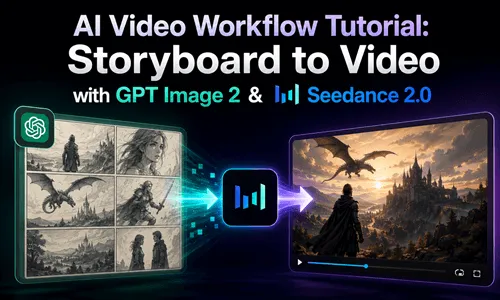
Explore image-to-image, text-to-video, and AI Story powered by Seedance 2.0 AI. With its unique multi-shot storytelling, one prompt can generate multiple connected scenes while keeping characters and style consistent. Try seedance ai free and create seamless cinematic videos in minutes.


