


AI Video Change Character
Replace People in Videos with Simple Text Prompts
 (3529+ Reviews)
  LumeFlow 3.0 LumeFlow 3.0
  kling 3.0
  Seedance 2.0 Mini Seedance 2.0
  Happy Horse 1.0 Happy Horse 1.1
  Gemini Omni
  Wan 2.5
  Pixverse V5.5 Wan 2.6
  Hailuo 2.3 Hailuo 2.3 Fast kling 2.5
  Sora 2 Sora 2 Pro
  Vidu Q2 Turbo
  Google Veo 3.1 Google Veo 3.1 Fast Pixverse V5 Hailuo 02 Vidu Q1 kling 1.6
 Click to upload an image
 Upload JPG/PNG/WEBP images up to 10MB, with a minimum width/height of 300px.
LumeFlow 3.0 Happy Horse 1.0 LumeFlow 3.0 kling 3.0 Wan 2.5 Pixverse V5.5 Wan 2.6 Hailuo 2.3 kling 2.5 Sora 2 Sora 2 Pro Vidu Q2 Google Veo 3.1 Google Veo 3.1 Fast Pixverse V5 Hailuo 02 Vidu Q1 kling 1.6 LumeFlow 2.0 LumeFlow 2.0 Vidu Q2 Turbo  Click to upload a video
 Upload mp4 files up to 50MB with max resolution of 1920px and max time of 30s
AI Video Change Character — Simple Prompts, Professional Results
No video editing skills needed. No software to learn. Just upload, describe who to swap in prompts, and let LumeFlow AI video character changer do the work.
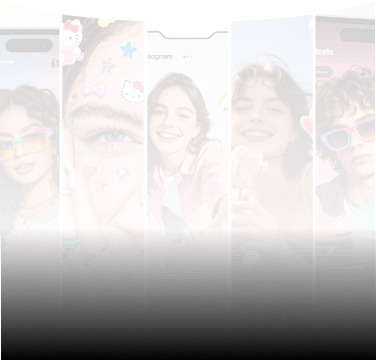
These examples show what AI change face in video looks like when you tell the AI things like "replace the person in this clip" or "change the lead to someone different."
Input your prompt. Watch the output. Download when ready.
Why Choose LumeFlow AI for Character Swaps and Face Changes?
AI Video Change Character Unlimited
When you write "swap the actor on the left" most tools give unpredictable results. When you write "replace everyone wearing blue except the lead actor" many fail entirely.
LumeFlow AI's ai video face change treats every prompt as a complete instruction — regardless of specificity or how many characters are involved. The model captures subtle distinguishing details: earrings, hairstyles, clothing colors, body positioning, scene lighting. Your description can be brief or detailed. The result stays accurate either way.
No prompt are too complex here.
Describe Your Swap

Video Character Changer AI Free
The gap between "I want to try character swap ai video free" and "I need to hand over payment details" is one registration form on LumeFlow AI.
Create an account, receive free credits, spend them on video character changer ai free features. Additional credits come from platform activities — event participation, promotional offers, referral actions. The more you engage, the more swaps you can run without spending money. Free access isn't a once-off trial. It's an ongoing earn model built into the platform.
Register and Start Swapping for FreeCharacter Swap AI Video Online
The traditional path for character swap ai video online free goes through a software download first. Setup files. Installation wizards. System requirements to check.
LumeFlow AI removes that entire step. Everything runs in your browser — Chrome, Safari, Edge — the same interface you probably have open right now. No plugins. No executables. No "compatible with your OS" warnings. You upload, describe, and generate. When you're done, you close the tab. Nothing remains on your computer.
That's what character swap ai video online free feels like when the tool is actually built for the web.
Change Character For Free
How to use AI video change character?
Step 1. Upload or Generate Your Orginal Video
Start from scratch or work with what you already have. Upload any video or generate a fresh clip worth editing.
Step 2. Describe the Characters details
Open the prompt panel and tell the AI the details about your characters. You can evemupload a reference image alongside your prompt for more precise direction.
Step 3. Generate, Preview and Download
Review the result in seconds. Then you can download the final video in full quality and post it directly to your platform.


LumeFlow AI Video Edit - Real-Time Stats
Live stats update every minute. Join our users.

Frequently Asked Questions about AI Video Change Character
-
1. Can I target a specific timestamp instead of replacing characters throughout the entire video?
Yes. Reference the exact time in your prompt — "replace the character at 0:23" — and the AI applies the swap only at that moment. Everything before and after remains unchanged.
-
2. What if the AI swaps the wrong person when multiple similar characters appear on screen?
Add more distinguishing details. Write "replace the woman on the left wearing a black jacket" instead of just "replace the woman." The more visual specifics you include, the more accurately the AI targets the correct person.
-
3. Can I keep the original person's body movements while only swapping the face?
Yes. Write "keep the original body and movements, only change the face" in your prompt. The AI preserves the performance while applying the new facial features seamlessly.
-
4. What should I do if the lighting in my video is uneven or mixed?
Include the lighting description in your prompt — "this scene has strong side lighting from the right" — and the AI adjusts the replaced face to match existing shadows and exposure naturally.
-
5. My video has mixed lighting — some areas bright, others dark. Will the swap look natural?
Mention the lighting setup in your prompt — "uneven lighting, brighter on the left side" — and the AI matches the replaced face to the actual lighting conditions in each frame.
AI Character Swap Video Guides and Tips
Beyond character swaps — learn how AI edits video from prompt instructions, and why AI video editing is replacing frame-by-frame manual workflows. From beginner guides to advanced prompt engineering for face swap results.



Extend Your AI Video Capabilities Here
Beyond character swaps, LumeFlow AI gives you AI video edit for granular video control, Chatgpt Images 2 for generating scene references and overlays, and AI agent to automate post-production sequences. One platform. Multiple AI capabilities. Zero context switching.


