


Pixverse AI Video Generator
Bring Your Ideas
to Life
 (3528+ Reviews)
  LumeFlow 3.0 LumeFlow 3.0
  kling 3.0
  Seedance 2.0
  Wan 2.5
  Pixverse V5.5 Wan 2.6
  Hailuo 2.3 Hailuo 2.3 Fast kling 2.5
  Sora 2 Sora 2 Pro
  Vidu Q2 Turbo
  Google Veo 3.1 Google Veo 3.1 Fast Pixverse V5 Hailuo 02 Vidu Q1 kling 1.6
 Click to upload an image
 Upload JPG/PNG/WEBP images up to 10MB, with a minimum width/height of 300px.
LumeFlow 3.0 LumeFlow 3.0 kling 3.0 Wan 2.5 Pixverse V5.5 Wan 2.6 Hailuo 2.3 kling 2.5 Sora 2 Sora 2 Pro Vidu Q2 Google Veo 3.1 Google Veo 3.1 Fast Pixverse V5 Hailuo 02 Vidu Q1 kling 1.6 LumeFlow 2.0 LumeFlow 2.0 Vidu Q2 Turbo  Click to upload a video
 Upload mp4 files up to 50MB with max resolution of 1920px and max time of 30s
See Pixverse4.5 in Action – Magic from Images to Video!
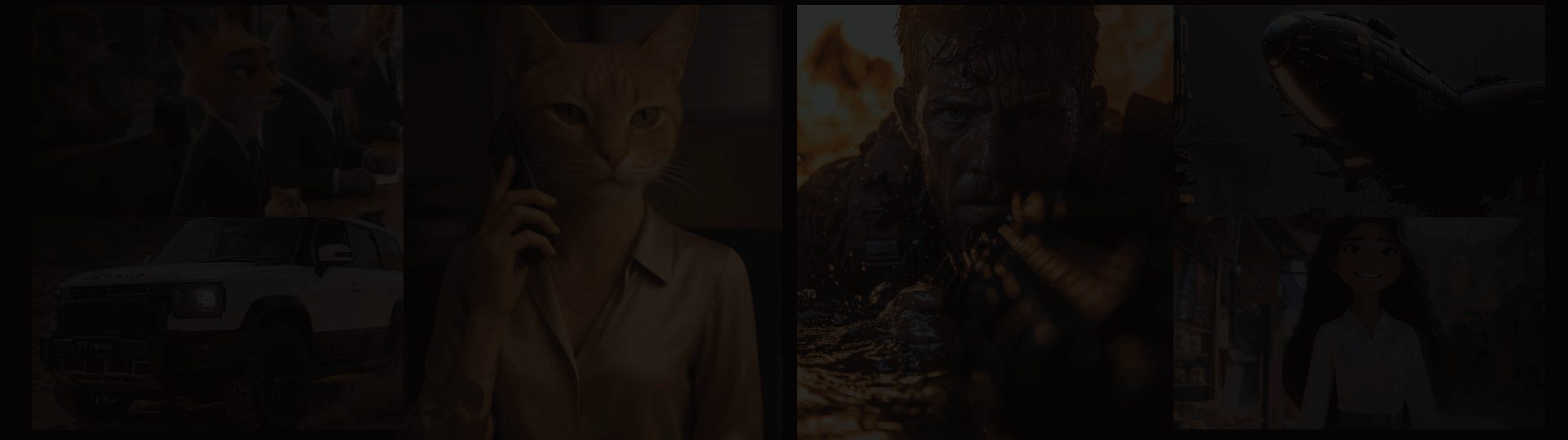
Ready to see what the AI video generator Pixverse can really do? From jaw-dropping Pixverse AI image to video or text to video transformations to cinematic scenes that sparkle, version 4.5 turns "just okay" into "OMG that's insane!" Grab your popcorn — the show's about to begin!
Why Pixverse AI Video Generator is Your New BFF!
Turn Words into Movie Magic Instantly
Who knew your random text could star in its own mini blockbuster? With LumeFlow's Pixverse AI text-to-video, quirky prompts like "a cat surfing Mars" come alive with cinematic pans, zooms, and stylish effects. No drama, no director needed—just type, sit back, and watch your imagination jump to life in glorious HD. Your friends won't believe you didn't hire a Hollywood crew!
Create Videos Instantly

Make Any Pic Dance Like Crazy
Upload a random selfie or your dog's photo, and LumeFlow's Pixverse AI image to video makes it dance, jump, and shine like it's auditioning for a blockbuster. The AI adds lifelike motion, smooth camera swings, and effects so good you'll ask, "Is this even real?" From your grandma's old photo to your cat in sunglasses, everything suddenly has star power!
Make Pro Videos FreeTransform Any Video with Pixverse 4.5 Magic
Got a boring clip? Let LumeFlow's Pixverse AI video to video (powered by Pixverse 4.5) turn it into something jaw-dropping! The AI automatically enhances visuals, adds slick effects, and even pairs the perfect music. TikTok, Reels, or just showing off to friends—your old footage instantly screams "WOW, did I make this?!" Fun, fast, and dangerously addictive—Pixverse 4.5 makes everyone feel like a pro director.
Try Your Idea Now
Pixverse AI Video Generator Is On Fire—Live, Fast, Wild
See Pixverse AI Video Trends Updating in Real Time
Real-Time Performance Stats
Generated Today



99.8%/24h
Success Rate


3.8s
Average Generation Time

Powered by LumeFlow, Pixverse AI video generation runs at lightning speed with access to 150+ creative assets, styles, and effects. On the left, you'll find today's hottest Pixverse AI video effects—fresh, trending, and ready to play. Jump in and create while ideas are still hot.
Try ai video generator pixverseHow to Create Stunning Videos with Pixverse AI Video Generator
Step 1. Choose your source type
Pick whether you want text-to-video, image-to-video, or video-to-video. Your story, your style!
Step 2. Select Pixverse 4.5 model
Always pick Pixverse 4.5 for smooth motion, cinematic effects, and next-level video magic.
Step 3. Add your creative prompts or upload media
Type your imaginative prompts or upload images/videos. Let AI transform them into scroll-stopping clips!


FAQs About Pixverse AI Video Generator
-
1. What is Pixverse AI Video Generator?
Pixverse AI video generator uses advanced AI to turn text or images into cinematic videos. Perfect for creators and marketers, it handles motion, transitions, and effects automatically, making video creation fast, fun, and surprisingly easy.
-
2. Is there a free Pixverse AI video generator?
Absolutely! You can use Pixverse AI for free on LumeFlow, though video credits are limited. Need more oomph or higher-quality output? Their affordable subscription plans start at just a few dollars per month. Access Pixverse plus top AI models like Sora2 and Veo Q1—all in one place, no juggling platforms!
-
3. What is Pixverse AI Video Generator Pricing?
Curious about costs? Pixverse AI video generator starts with free credits for casual creators. Want unlimited videos or ultra-sharp quality? Affordable monthly plans unlock full power. Combine with LumeFlow for extra effects, templates, and smoother editing—your creative playground, all in one place!
-
4. How to write effective prompts for Pixverse AI video generation?
Viral Pixverse AI in FumeFlow effects often include:
① Effective prompts are:
- Trend-inspired: Follow viral TikTok aesthetics like "glitch transitions," "neon vibes," "retro arcade style"
- Emotion-driven: Capture moods with prompts like "excited dance," "shocked reaction," "cute giggle"
- Character-focused: Highlight personality or action: "fashion influencer strutting," "puppy doing tricks," "anime hero leaping"
②Example prompts:
- "Teen girl dancing under neon lights, glitch transitions, trending TikTok style"
- "Cute puppy jumping through sparkling hoops, slow motion, viral sound"
- "Cosplayer flipping on anime rooftop, neon glow, dramatic camera, TikTok viral style"
- "Fashion influencer strutting on retro arcade runway, colorful lights, energetic vibe"
- "Teen reacting excitedly to new gadget, fast jump cuts, trending audio"
- "Anime hero leaping over city rooftops, cinematic slow motion, neon night lights"
FumeFlow also offers trendy templates to help you start quickly.
-
5. Can I convert existing videos with Pixverse AI?
The Pixverse AI 4.5 model in LumeFlow can magically upgrade your old clips with smoother motion, richer colors, and dazzling effects. It analyzes each frame, adds cinematic transitions, and even sprinkles in AI-generated enhancements—turning your tired footage into eye-catching, scroll-stopping videos in seconds!
Explore More Pixverse AI Video Generator Tips
Discover tips, tricks, and inspiration to master Pixverse AI video generator. Dive into our blog articles to create stunning, scroll-stopping videos in minutes!
- Pixverse AI Review 2025: Is It Safe, Free & Worth Using for Video Creation?
- Best Free AI TikTok Video Generator in 2026 (Real Testing)
- What Would I Look Like as a Guy with AI Gender Swap Video
- How to Generate Smooth and Natural AI French Kiss Videos in Minutes
- 60 Best Kiss Prompts for AI Video Generator
- 55 TikTok AI Prompts That Actually Go Viral in 2026
Explore More Pixverse AI Video Generator Features!
Discover exciting tools like image-to-image, text-to-video, AI story, and remix videos. Try Pixverse AI free video generator to bring your creative ideas to life in minutes!


